
Our Store Listing Is Built Like the Game
Localized store screenshots, iOS 27 header art and a preview video rendered from real captures by in-house tools, plus the bug that hid four languages.
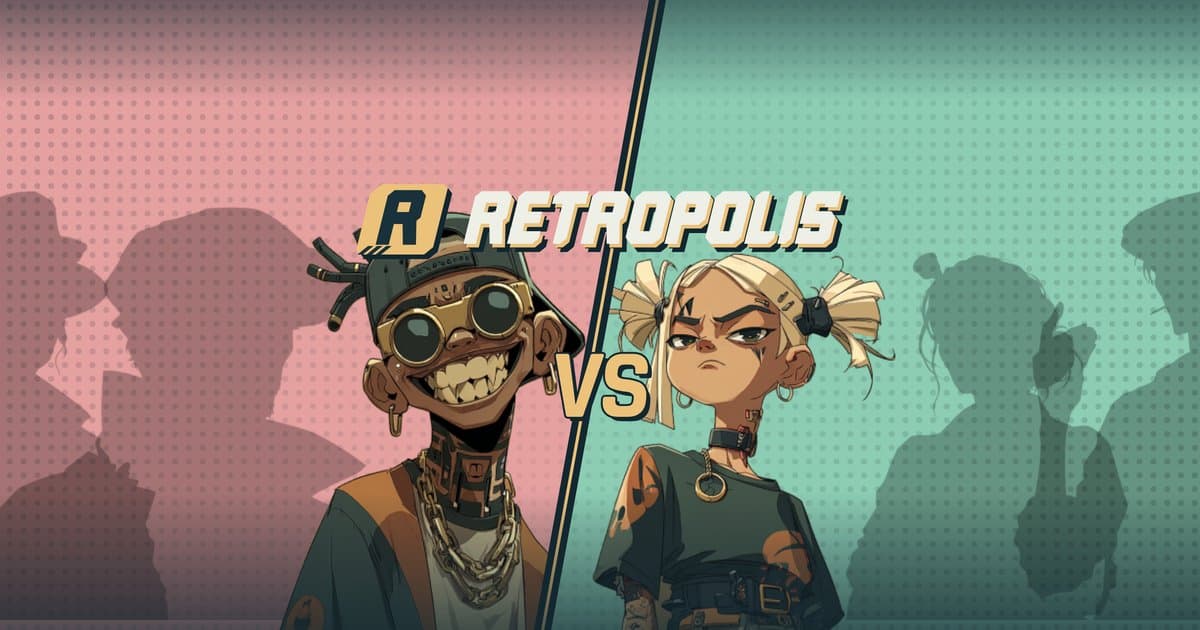
For most people who install Retropolis, the first screen of the game is not in the game. It's the App Store or Google Play page: a header, a few screenshots, maybe a video. They decide in seconds, and they decide in their own language.
Over September and October 2026 we rebuilt our listing around three problems. The captures behind our screenshots were taken by hand, so every UI change left them a little more out of date. The App Store showed the game in English only, although the game is translated into French, German, Spanish and Italian. And Apple's new iOS 27 creative assets, a large header and a search-result image, needed artwork we didn't have.
We tackled all three with tools that live next to the game's code. This post explains how they work. It does not have conversion numbers yet; we'll come back with those.
A screenshot studio, not a design file
Our store screenshots are rendered by a small web app in the monorepo, built with Vite and React. Each screenshot is a promo plate wrapped around a real capture of the app: a headline, the game's hazard-tape and halftone motifs, and the capture filling about 84% of the width on iPhone.
The model is deliberately simple:
- Eight slides, in store order: the map, a building, a Hold-up, the card deck, equipment, the gang, the city chat and the leagues.
- Five languages: English, French, German, Spanish and Italian. Headlines live in one copy file per language, like "THE CITY IS YOURS" for the map slide.
- Five formats:
| Format | Size |
|---|---|
| iPhone 6.9" | 1320 × 2868 |
| iPhone 6.5" | 1284 × 2778 |
| iPhone 5.5" | 1242 × 2208 |
| iPad 13" (portrait) | 2064 × 2752 |
| Google Play | 1080 × 1920 |
Eight slides in five languages is forty images per device. The studio exports one shot, one eight-shot set, or every language at once as a ZIP. It draws the slide's DOM onto a canvas and writes the PNG itself as plain RGB with no alpha channel, so uploads never trip on transparency. A validation script checks every size and count before anything leaves the machine.
Real captures, with no hands on the simulator
The captures are the part that used to rot. Now they are produced by a script, and a full run takes about fifteen minutes:
- Two dedicated simulators are created, a 6.9-inch iPhone and a 13-inch iPad, with the status bar pinned at 9:41 and the GPS placed on the test city.
- A local copy of the backend is seeded with fictional players. Our showcase player lives near the Eiffel Tower, with buildings to show and a busy city chat.
- A temporary driver is inserted into the app. It reads a small plan from a local web server (which account, which language, which theme, which screen) and the script rewrites that plan for each shot. No taps, no human timing.
- The captures are exported as WebP, one per device, language and slide, straight into the studio.
Two rules matter more than the automation. No fake UI: every screen is the real app, and the Hold-up slide mounts the game's actual versus scene. No real player data: everything on screen comes from fictional accounts on a local stack. When the UI changes, we re-run the script instead of redrawing anything.
iOS 27 header and search art
iOS 27 added two large creative assets to App Store pages: a header (3840 × 1646) and an image for search results (3840 × 2560). The difficulty is cropping. The same file is shown on iPad and iPhone, and on iPhone only about the centred square of the header survives.
We render both as single-frame stills in the same Remotion project as our promo videos, which meant the characters, fonts, plates and the real game map were already available as components. A few choices that came out of it:
- Safe areas measured from Apple's templates. We took the safe zones from Apple's PSD templates and put them in code. A
--guidesflag draws them over the render, so we can check a crop before exporting. - Half-size layout, 2× render. Layouts are written at 1920 pixels wide and rendered at scale 2, which keeps the numbers readable and the output sharp.
- No text in the header. The header is the two characters from the app icon, facing off. Without text, one file serves all five languages.
- The real map in search results. The search image puts the real in-game map behind a headline per language.
- No © sign. Apple's rules for these assets forbid it, so the map credit is written "Mapbox · OpenStreetMap" instead of the usual "© Mapbox © OpenStreetMap".
A preview video under Apple's rules
The App Store preview is the 28-second "Routine 2" cut, rendered in five languages at 886 × 1920. Apple's App Review Guidelines (2.3.4) allow only captures of the app itself, with text or narration on top. Our social videos rebuild the game layer on the map in code and animate character portraits; both are out for the preview. Every second of it is a simulator take, driven by the same kind of temporary in-app script against a local stack.
The preview must also suit Apple's 4+ age rating, so a few mini-games and the Hold-ups stay out of it. The wiki covers the whole game.
The bug that hid four languages
The most useful finding of our October audit was not visual. The App Store page listed Retropolis in English only, and the location permission prompt was in English for every player, whatever their phone's language.
The cause: the iOS binary contained no .lproj folders. The game translates itself at runtime, so nothing looked wrong in the app. But the App Store reads the binary's localizations to decide which languages to list, and iOS reads them to translate system prompts. The fix is a few lines of Expo config:
// One <lang>.lproj per language in the iOS build: the App Store reads them to list the app's languages, and
// iOS takes the localized permission prompts from them. Native change: needs a new store build, not an OTA.
locales: {
    en: './locales/en/native.json',
    fr: './locales/fr/native.json',
    de: './locales/de/native.json',
    es: './locales/es/native.json',
    it: './locales/it/native.json',
},
Each native.json carries the translated location prompt, and CFBundleLocalizations lists the five languages in the app's Info.plist. It's a native change, so it shipped in the next store build rather than in an over-the-air update.
If your app translates itself with a JavaScript library and your store page shows one language, check the binary before you blame the metadata.
What we learned
- Treat the listing as a build artifact. If screenshots come from a script, they stay true to the game, and updating them costs a command instead of an afternoon.
- Reuse the video kit for static art. A single-frame Remotion render is a perfectly good way to make a 3840-pixel store image.
- Read the store rules as constraints, not obstacles. Apple's real-capture rule pushed us towards the same principle as our social videos: show the game players will actually get.
- Audit the boring layer. The biggest improvement was a missing native setting, not a new image.
We built most of this tooling with AI coding agents working inside strict rules; we describe those in AI Coding Agents on a Live Game. To see the listing itself, head to the install page, or read what kind of GPS strategy game Retropolis is first.